
Social platform · Android, iOS & Windows
NTsocial
Public posts, channels, private messages, and images—online and nearby.


NTsocial for Android, iOS & Windows · MeshLink for Android
Online, reach far. Offline, stay connected nearby.
NTsocial brings posts, channels, and private messages to the internet, with native Bluetooth mesh for nearby offline communication. NTsocial MeshLink connects to Meshtastic radios for LoRa text messaging and radio management. Use either app on its own, or pair them to extend NTsocial channel text over LoRa.
Public posts, channels, private messages, and images—online and nearby.

Connects up to four active Meshtastic Bluetooth radios and bridges NTsocial text onto LoRa.
Everyday connection, built to go further
NTsocial connects people over the internet and nearby offline mesh. NTsocial MeshLink handles Meshtastic radio messaging and management. Each works independently; together, they connect selected NTsocial channel text to the LoRa mesh.
Android, iOS & Windows · Internet and offline social networking
A social platform for public posts, channels, and private conversations. Cloudflare-powered internet messaging connects people across distance, while the native BLE mesh keeps nearby communication available without internet access.
Internet is on by default and can be turned off in Profile. Nearby BLE communication does not require MeshLink or a radio accessory.
Features vary by platform, device, and OS version. Wi-Fi Direct and the MeshLink gateway are Android features; Wi-Fi Aware and Coded PHY require supported hardware and system capabilities.
Android · Radio mesh
A standalone Meshtastic app. Connect to radios over Bluetooth, send channel or direct text, view nodes, and manage channel, LoRa, security, and device settings. It runs with or without NTsocial installed.
Works on its own as a Meshtastic controller. Pair it with NTsocial when you want NTsocial channels to reach LoRa.
Android 8.0 or later and a compatible Meshtastic radio are needed for LoRa. Set your permitted region before transmitting.
How messages travel
Use the internet to reach people far away, Bluetooth to connect nearby, direct Wi-Fi to sync faster, and optional LoRa for radio text. Each route has its own role and requirements.
Cloudflare-powered messaging carries public posts, eligible joined-channel conversations, private messages, and images over the internet. Pending Cloud work resumes and retained messages catch up when connectivity returns.
Internet messagingNearby devices discover each other, exchange eligible messages, relay them, and fill gaps in history. BLE remains available when internet access fails, with no cellular service required.
Nearby meshCompatible devices use direct Wi-Fi for faster history and attachment sync, or approved nearby file transfers. This nearby Wi-Fi link does not need an internet connection.
Direct transferMeshLink controls compatible Meshtastic radios and can extend chosen NTsocial channel text across the LoRa mesh.
Radio meshOffline delivery needs active compatible devices, Bluetooth permissions, and a reachable peer or relay path. Range and timing depend on device support, obstacles, participating nodes, and background limits. Full images use Internet or authenticated Wi-Fi; supported authenticated BLE links can repair small images or previews. LoRa does not carry images, audio, PTT, or file bytes.
Android · NTsocial 1.7.1 / MeshLink 1.0.9
Explore the current Android interfaces with real phone screenshots, then open the illustrated guides for each task. These guides cover NTsocial 1.7.1 and NTsocial MeshLink 1.0.9 on Google Play.
NTsocial 1.7.1
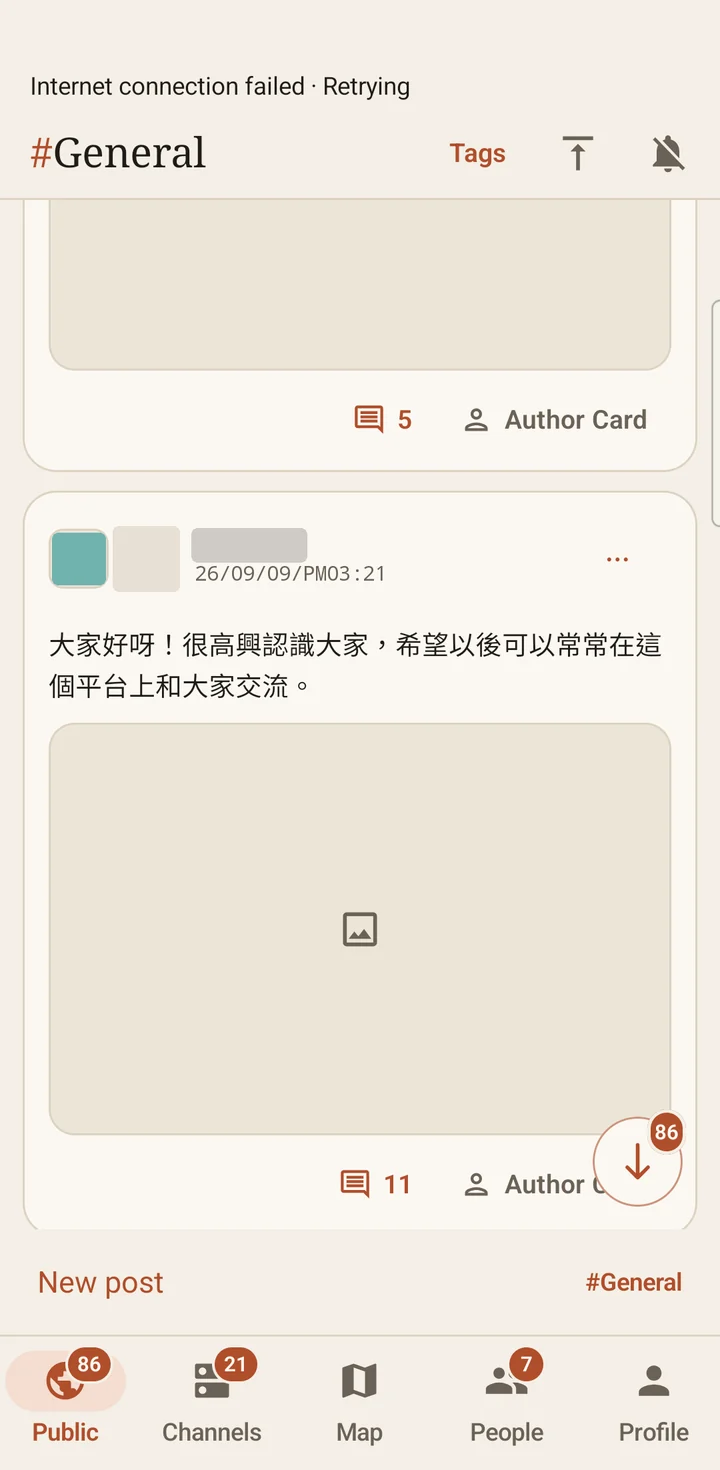
Use the bottom tabs to move between Public, Channels, Map, People, and Profile. In Public, choose General or a topic board before posting or replying.
View illustrated steps →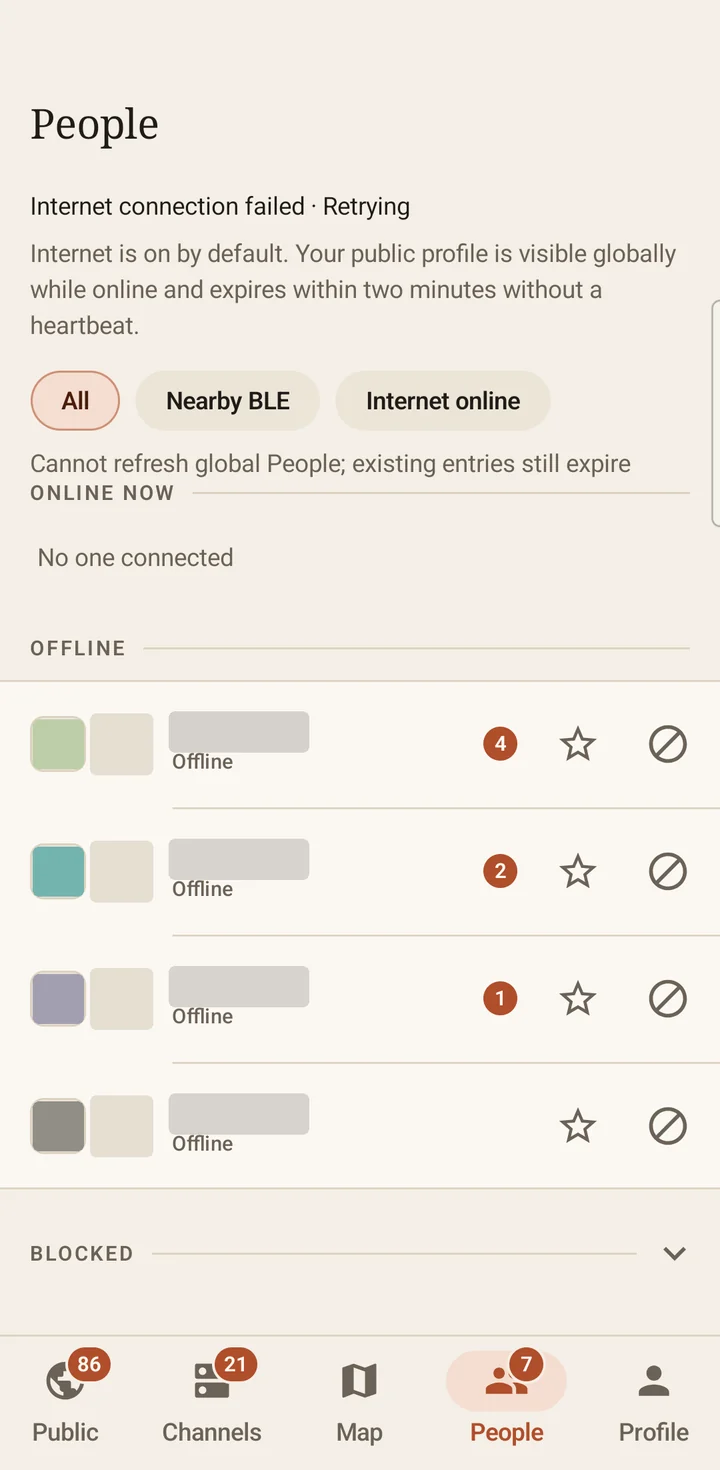
NTsocial 1.7.1
Filter nearby BLE and Internet users, open a public profile, and start a private conversation. The guide explains encryption, blocking, and supported file connections.
View illustrated steps →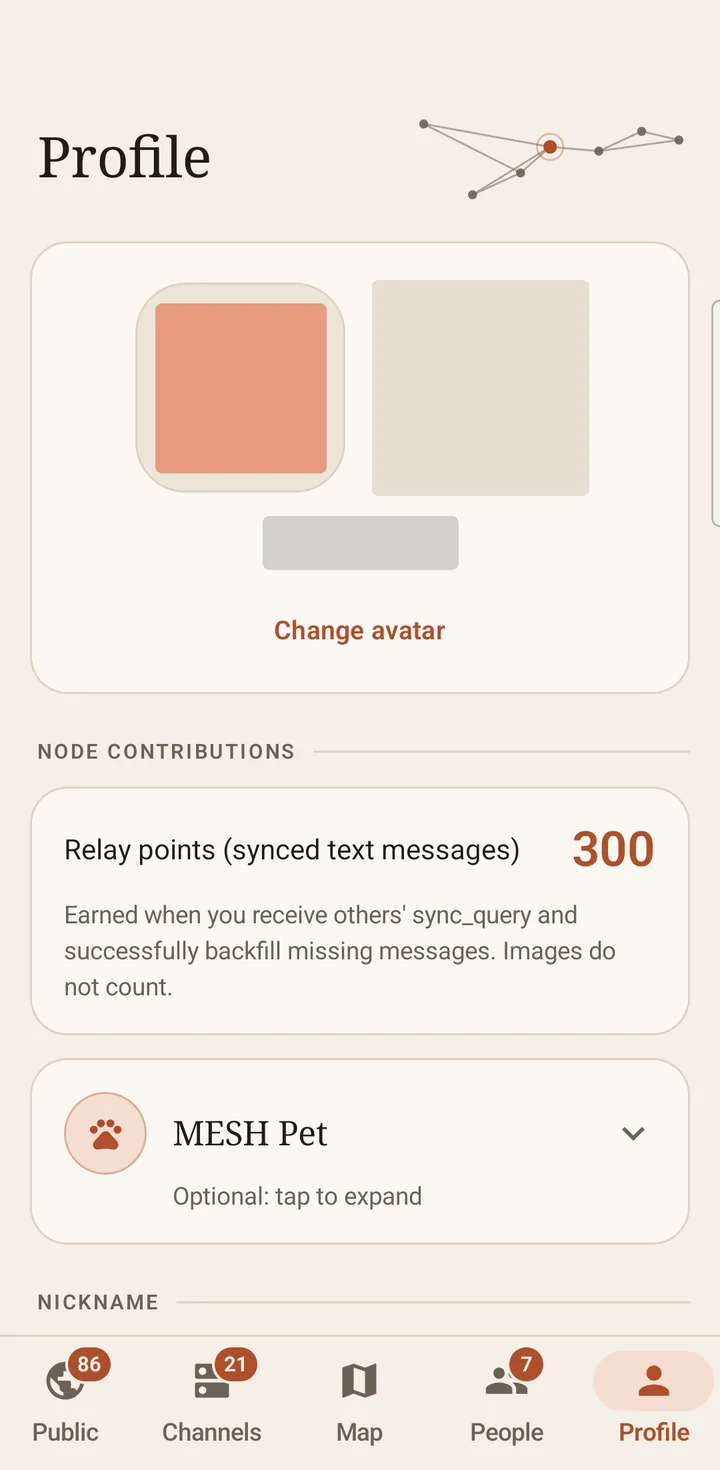
NTsocial 1.7.1
Edit your profile and avatar, manage Internet and nearby Wi-Fi, and find identity recovery and contact backup controls. Keep recovery words private.
View illustrated steps →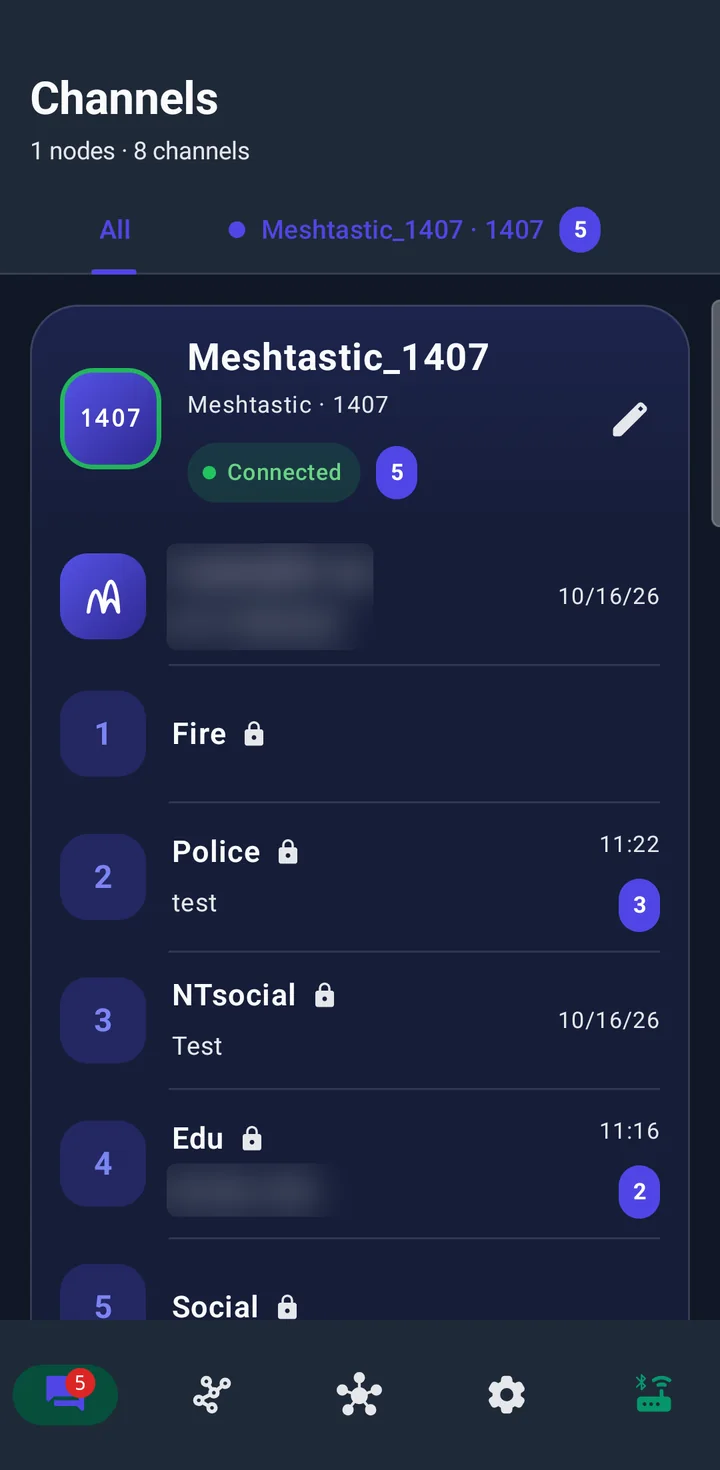
MeshLink 1.0.9
Connect a Meshtastic radio, check its channel configuration, and send text. Follow the separate binding guide to connect a chosen NTsocial channel to a radio.
View illustrated steps →Screenshots show the Android app versions above. Available routes and controls depend on device support, permissions, and the connected radio. iOS and Windows interfaces may differ.
Historical release notes, describing features at the time of each release. For current behavior, use the NTsocial 1.7.1 and MeshLink 1.0.9 guides above. Voice-message and PTT controls may remain visible, but are not available communication routes in this version.
The first Windows release of NTsocial is now available on Microsoft Store. Download NTsocial for Android, iOS, or Windows from the three official stores above. Features vary by platform and device.
This major Android update brings a refreshed reading and writing experience, wallet-style identity recovery, a Channel topic tree, and Public topic boards. NTsocial is also available for iOS via the App Store, with its own version numbering.
Recovery words restore identity and keys, not a full chat-history backup; NTsocial does not provide asset transfers or trading. New topic boards require updated clients. Channel tags currently support creation and browsing, without renaming, moving, deletion, or per-tag permissions. Custom topics are not projected into plain LoRa text.
NTsocial combines Cloudflare-powered internet messaging with native BLE mesh in one social platform. Share across distance and keep nearby communication available without internet access.
This earlier update expanded Bluetooth mesh with direct Wi-Fi transfers, private large-file sessions, and multi-radio MeshLink / Meshtastic support.
NTsocial 1.3.0 introduces native Long Range connectivity, PTT voice calls, and the Mesh Pet feature. It also delivers a modernized private chat UI and critical fixes for profile synchronization and image quality.
NTsocial 1.2.0 expands ATaK capabilities, improves channel handling, fixes private image messaging, and upgrades map tooling for field coordination.
NTsocial 1.1.0 builds on the 1.0.0 release. Beyond fixing major issues in image handling, message sync, and navigation, it introduces encrypted channels, offline maps, and ATaK-style mission channels to keep field operations stable and reliable.
NTsocial 1.0.0 is officially live. This first production release builds on the test builds with foundational feature upgrades, stronger security, and smoother everyday experiences.
Every field is optional, and the submission time is recorded automatically. If you are not sure about something, leave it blank or write “Not sure.” Thanks for helping us make both apps more reliable.
Five core tabs:
Internet: On by default for Public, eligible joined channels, and private messages. Turn it off in Profile to stop this device’s Cloud activity; existing pending jobs wait until you turn it on again.
Offline communication: BLE discovers nearby peers and carries eligible text, bounded state, and relays. Compatible authenticated BLE peers can also repair small images or author previews. Direct Wi-Fi can accelerate history and full-image sync.
Nested replies: Open a message’s reply thread to read and respond in context.
On-demand Wi-Fi acceleration: Compatible peers can speed exact-history and attachment sync, while two selected users can approve a private, resumable direct-Wi-Fi session for large files. BLE remains the baseline for discovery, live messages, and fallback.
Unread and local cleanup: Jump through unread messages one by one. Long-press, then swipe a message halfway to remove the local copy; other devices are unaffected.
Images and audio: Full images are prepared within a 350,000-byte limit and use Internet or authenticated Wi-Fi. Supported authenticated BLE peers can supply small images or author previews; a preview is not the full image. Voice-message and PTT controls may remain visible, but are not available communication routes in this version. Existing local audio history remains readable.